Wikitten Theme的安裝與設定

前言

這是我這個Wiki站的主體框架,除了一部分的配色我會自己改一下以外其他部份都原汁原味

安裝

這個Theme安裝相較之下就簡單很多,只有git clone的安裝方法

1
2
#在Hexo目錄下
git clone https://github.com/zthxxx/hexo-theme-Wikitten.git themes/Wikitten

複製以下檔案

1
2
3
cp -rf themes/Wikitten/_source/* source/
cp -rf themes/Wikitten/_scaffolds/* scaffolds/
cp -f themes/Wikitten/_config.yml.example _config.Wikitten.yml

安裝以下Plugin

  • hexo-autonofollow // 打开非本站链接时自动开启新标签页
  • hexo-directory-category // 根据文章文件目录自动为文章添加分类
  • hexo-generator-feed // 生成 RSS 源
  • hexo-generator-json-content // 生成全站文章 json 内容,用于全文搜索
  • hexo-generator-sitemap // 生成全站站点地图 sitemap
1
npm i -S hexo-autonofollow hexo-directory-category hexo-generator-feed hexo-generator-json-content hexo-generator-sitemap

修改_config.yml

1
theme: Wikitten

設定

Hexo本體

依照原始架構設想,Wiki會被另外裝到Wiki-site裡面,所以_config.yml內屬於Wiki的有一部分要修改

#Site & URL

1
2
3
4
5
6
7
8
9
10
11
12
13
14
15
16
17
18
# Site
title: Kiwi's Wiki
subtitle:
description: ''
keywords:
author: Kiwi
language: en
timezone: ''

# URL
## If your site is put in a subdirectory, set url as 'http://example.com/child' and root as '/child/'
url: http://Kiwi0093.github.io/Wiki-site
root: /Wiki-site
permalink: wiki/:title/
permalink_defaults:
pretty_urls:
trailing_index: true # Set to false to remove trailing 'index.html' from permalinks
trailing_html: true # Set to false to remove trailing '.html' from permalinks

因為是Wiki-Site,所以root部分要變更為/Wiki-site,並且將permalink修改為wiki/:title/

#目錄

1
2
3
4
5
6
7
8
9
10
11
# Directory
source_dir: source
public_dir: public
tag_dir: tags
archive_dir: archives
category_dir: categories
code_dir: downloads/code
i18n_dir: :lang
skip_render:
- README.md
- '_posts/**/embed_page/**'

skip_render後加上

1
2
- README.md
- '_posts/**/embed_page/**'

#theme & deploy

1
2
3
4
5
6
7
8
9
10
11
# Extensions
## Plugins: https://hexo.io/plugins/
## Themes: https://hexo.io/themes/
theme: Wikitten

# Deployment
## Docs: https://hexo.io/docs/one-command-deployment
deploy:
type: git
repo: https://github.com/Kiwi0093/Wiki-site
branch: gh-pages

deploy的部分需要把branch改成gh-pages確保網頁會到https://kiwi0093.github.io/Wiki-site/

Wikitten主題設定

1
2
3
4
5
6
7
8
# Menus
menu:
首頁: /
歸檔: /archives
分類: /categories
標籤: /tags
關於: /about
Blog : https://Kiwi0093.github.io

記得加上Blog : https://Kiwi0093.github.io確保Wiki頁面上有連回Blog的連結

#Customize
1
2
3
4
5
6
7
8
9
10
11
12
13
14
15
16
17
18
19
20
21
22
23
24
25
# Customize
customize:
logo:
enabled: true
width: 40
height: 40
url: /logo.png
profile:
enabled: false # Whether to show profile bar
avatar: # css/images/avatar.png
gravatar: Kiwi@kaienroid.com # Gravatar email address, if you enable Gravatar, your avatar config will be overriden
author: Kiwi
author_title: Designer & Programmer
location: Taipei, Taiwan
follow: https://github.com/Kiwi0093/
highlight: monokai
sidebar: left # sidebar position, options: left, right
category_perExpand: false # enable article categories list per expanding
thumbnail: true # enable posts thumbnail, options: true, false
favicon: /favicon.ico # path to favicon
default_index_file: index.md # if this, it will display at site index instead of default index page
social_links:
github: https://github.com/Kiwi0093/Kiwi0093.github.io
rss: /atom.xml
social_link_tooltip: true # enable the social link tooltip, options: true, false

這個部分主要是設定框架

#Widget
1
2
3
4
5
6
7
8
# Widgets
widgets: # default use category only
- category
# - recent_posts
# - archive
# - tag
# - tagcloud
# - links

這個可以設定有哪些會列出來在左右側的框架內

#歷史版本確認
1
2
3
4
5
6
7
# History version 
history_control: # make you wiki has history version control in page
enable: true
server_link: https://github.com # recommend use GitHub https://github.com
user: Kiwi0093
repertory: Wiki-site
branch: master
這部分可以讓Wiki的歷史版本直接跟github的版本控制連動

變更顏色

themes/Wikitten/source/css/_variables.styl

1
2
3
4
5
6
7
8
9
10
11
12
// Colors
color-default = #565a5f
color-grey = #999
color-border = #dfe1e2
color-border-stretch = #c1cfdc
color-link = #eb783b //#38b7ea
color-background = #ebeef1
color-meta-head = #7b848c
color-sidebar-text = #777
color-sidebar-text-dark = #333
color-widget-background = #ddd
color-widget-border = #ccc

個人會把Link的顏色從藍色#38b7ea變更為橘色#eb783b

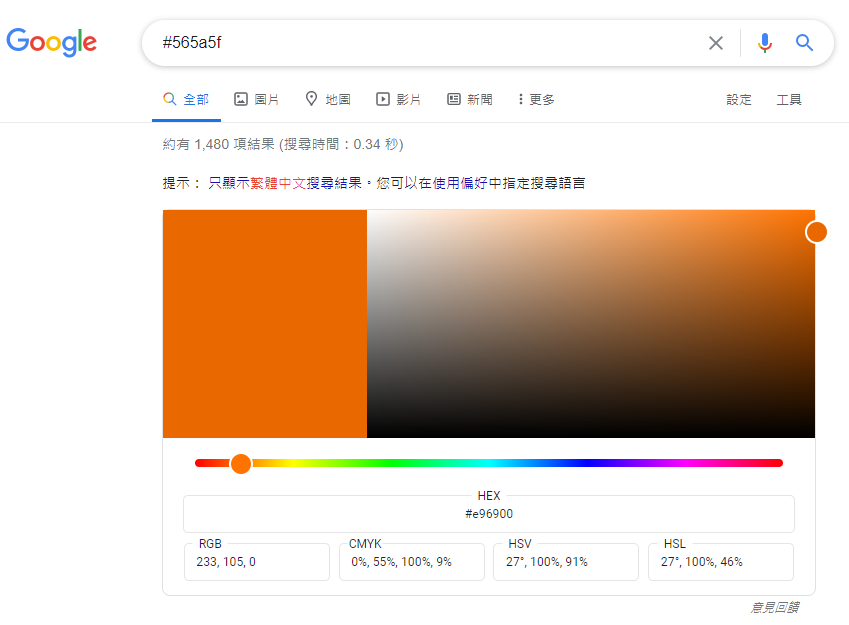
顏色的選擇可以使用google查詢任意一個顏色的HEX code,就會有google的小工具可以使用了

google_color

參考資料

A Learning Blog

Theme作者Zthxxx’s Wiki

Theme Wiki